10 AI Social Media Tools Compared for Small Teams in 2026
A small team can choose a social media tool from a feature grid and only discover the mismatch after months of use. The AI writer runs on limited credits, the scheduler has no useful approval step, or the analytics can't answer the question leadership asks: did this work bring in the right audience?
The right choice depends less on how many features a platform lists than on the job you need it to do. Some tools help you plan and publish; others create graphics, adapt long-form content, or make it easier to manage conversations. A tool that's strong at one job may leave the next step to another product.
That distinction matters because AI's clearest practical value in social media has been helping teams move through routine work more efficiently, not guaranteeing a sudden breakthrough. In a global survey of marketing, public relations, sales, and customer service professionals, 38% cited increased efficiency as a leading benefit of generative AI for social media marketing, while 34% cited easier idea generation (Statista's survey summary).
This guide compares 10 AI social media tools by their best-fit workflow, where they hand work off, and the kind of small-team setup they support. You'll find options for content creation, scheduling, analytics, and community management, with practical limits to check before choosing.
Table of Contents
- 1. Sprout Social
- 2. Hootsuite
- 3. ContentStudio
- 4. Buffer
- 5. Metricool
- 6. Later
- 7. Canva
- 8. Jasper
- 9. Lately.ai
- 10. Predis.ai
- Top 10 AI Social Media Tools: Feature Comparison
- Building a Small-Team AI Social Stack That Holds Up
1. Sprout Social
Sprout Social suits teams that need social media to work as a coordinated publishing, customer-care, listening, and reporting operation. Its AI Assist can draft and refine posts and replies, while inbox summaries help staff process conversations without treating every message as an isolated task. AI-generated alt text and subtitles also support the publishing workflow.
The platform's strength is the connection between engagement and analysis. Teams can manage customer-care work alongside advanced analytics and social listening, which helps when the job is to publish posts but to understand what customers and competitors are saying. That depth is useful for organizations with dedicated people responsible for social operations and reporting.
The trade-off is cost and complexity. Sprout Social uses per-seat pricing, and some premium capabilities may require higher tiers or add-ons. A solo founder who needs a content calendar and basic performance signals may end up paying for a broader operating system than the workflow requires.
Best fit: A larger team that needs shared inbox management, governance, listening, and reporting in one place. If the immediate bottleneck is drafting and scheduling, start with a lighter tool.
Sprout can help create and manage responses, but a team still needs to decide which conversations deserve a reply, how to handle sensitive issues, and how to connect social activity to business outcomes. For a cost-conscious team comparing platforms, this guide to Sprout Social replacements can help frame that decision.
2. Hootsuite
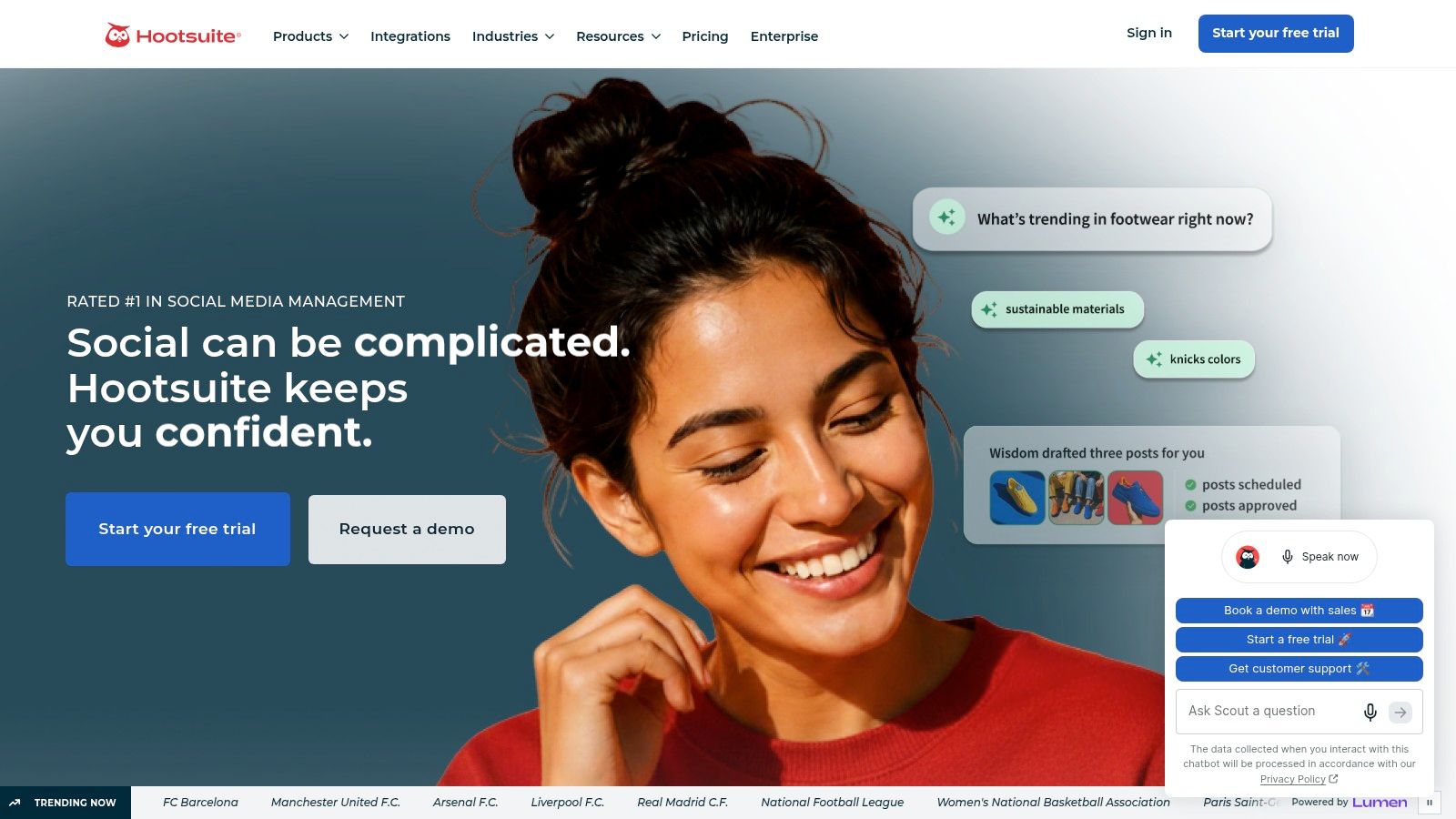
Hootsuite makes sense when a team needs broad channel coverage and a structured publishing process. OwlyWriter AI supports captions, ideas, and hashtags, while Perch offers scheduling suggestions and recommendations for republishing content. Approvals and team workflows help keep posts moving without relying on informal review through scattered messages.
Canva and Adobe Express integrations add a practical creative handoff. A marketer can develop copy in the publishing workflow, then use a connected design tool for the visual asset rather than expecting the scheduler to replace a full creative suite. That's useful when a small team needs to coordinate tasks, though it still has to maintain a consistent brand voice and check that each post suits its destination.
Where Hootsuite hands off
Hootsuite's advantage is breadth, not necessarily the lowest cost or the deepest specialty feature in every category. Pricing is tiered and per seat, so the total can rise as people are added. Advanced listening and customer-care capabilities may also sit behind higher tiers or add-ons, so confirm exactly what a plan includes before building the workflow around it.
For organizations that publish across multiple networks and need approvals, a dedicated publishing platform can reduce coordination friction. Teams exploring social media automation tools should still distinguish between automating the mechanics of publishing and automating decisions about what to say. AI can produce a draft quickly, but a person should review factual claims, audience context, and tone before publication.
Hootsuite is a stronger fit when governance and channel coverage matter more than having the simplest possible setup. If the team mainly needs an affordable calendar and occasional AI-assisted copy, a lighter scheduler may be easier to justify.
3. ContentStudio
ContentStudio combines creation and day-to-day social management, making it a practical option for agencies or growing teams that want fewer disconnected steps. Its AI Studio can help create captions, hashtags, posts, and short videos. The unified calendar brings scheduling, approvals, and automation into the same workflow, with a social inbox and analytics alongside publishing.
The appeal is that content doesn't have to jump from a text generator to a calendar to a separate inbox just to get out the door. Approval workflows also give a team a place to review work before it goes live. Optional listening and white-label capabilities make the platform more relevant to agencies that manage client accounts and need a branded service layer.
A useful test: Map one real campaign from first draft to published post, then check where the team still has to export files, re-enter copy, or switch tools.
ContentStudio's trade-offs show up in plan boundaries and AI media usage. Listening and inbox features aren't included in the lowest plan, while image and video generation use separate AI credits. Published plans and add-ons allow some flexibility, but the team should check whether its expected creative volume fits the allowances before choosing a tier.
The product handles content production and social operations in one environment. It doesn't remove the need for review, nor does it guarantee that generated content will be distinctive or effective. Agencies should pay particular attention to client approvals, account permissions, and which features are available at the plan level they're considering.
4. Buffer
Buffer is a straightforward choice for solo founders and small teams that want a scheduler without taking on an enterprise-style platform. Its AI Assistant can generate and refine posts, while AI Replies can help draft responses to comments using a user's tone. The free plan supports three channels, and paid pricing scales by channel, which lets a team start small and add accounts as needed.

That simple setup is useful when the job is to keep a dependable publishing rhythm across a limited set of accounts. Buffer also connects with tools such as Canva, Zapier, n8n, Make, and Perplexity, giving teams options for extending the workflow without moving every task into one large suite. Paid plans include unlimited AI Assistant credits, but check current plan details before subscribing because product limits and inclusions can change.
What Buffer doesn't replace
Buffer's analytics are lighter than those in enterprise suites, and it doesn't include a deep social-listening module. That matters if leadership wants competitive monitoring, detailed customer-care reporting, or a unified view of public conversation. You can use Buffer to plan and publish, but you may need another tool to investigate what people are saying or to assess more complex performance questions.
For a small team, the practical advantage is controlled scope. You can get a calendar, AI drafting support, and gradual per-channel expansion without adopting capabilities you may not use. The risk is assuming that a good publishing workflow also measures business impact. Decide what you'll track outside the scheduler, such as qualified inquiries or visits associated with social activity, before increasing content volume.
5. Metricool
If reporting is the immediate pain point, Metricool deserves a look. It combines a planner with analytics and reporting, and its lightweight AI assistant can help with captions and planning, including on the free plan. The upgrade path supports additional brands, more advanced reports, and API access, while the Advanced plan includes a Looker connector.
The workflow is a fit for a small team that wants to plan content and review channel performance without moving straight to a heavyweight management suite. Still, some networks and capabilities require add-ons, including X/Twitter and advanced analytics. Confirm those details against your channel mix rather than assuming a feature is included because the platform offers it somewhere in its product line.
Decide what the dashboard needs to answer
A dashboard only helps if the team agrees on what it's meant to show. AI tools are often assessed by time saved, but that alone doesn't prove that social content is bringing in valuable customers. A recent survey summary found that 54% of social media professionals assessed AI primarily through time saved, while 6% measured content quality and 4% tracked post performance (Metricool's State of AI in Social Media study).
For a lean team, Metricool can provide an accessible place to organize reporting. The next step is to decide which measures matter beyond routine activity: for example, whether social conversations lead to qualified inquiries, assisted conversions, or product signups. For more ideas on organizing those measures, see this guide to a social media analytics dashboard.
6. Later
Later is built around visual planning, which makes it a natural fit for creators and small brands working heavily with Instagram and TikTok content. Its visual calendar, mobile apps, link-in-bio tools, and Best Time to Post recommendations keep planning close to the formats the team needs to publish. AI Ideas can help develop content pillars and post concepts, while the AI Caption Writer supports caption drafting.
Later's workflow is especially useful when someone needs to see how a feed or campaign will look before posts go live. Canva export integration also gives the team a way to prepare creative in a separate design environment. The handoff is clear: Later helps organize and schedule visual content, but it isn't a replacement for a full design platform or a deep listening suite.
Watch the AI allowance. Later's AI features use monthly credits, so a busy team should check the current allowance and plan pricing before relying on the caption writer for every post. That's a different constraint from a tool with unlimited AI drafting, and it can change how often the team uses generation versus its own templates.
Analytics and listening are lighter than those in enterprise platforms. If the priority is a polished mobile workflow and visual planning, that may be a reasonable trade. If the team needs to monitor customer sentiment or produce detailed cross-channel reports, Later may need to sit alongside another product.
7. Canva
Canva is primarily a creative workspace, not a complete social media management system. Magic Design can help turn a prompt into social graphics and video formats, while Magic Write and other AI editing tools support copy and creative development. Its template and media library, brand kits, and resizing tools are useful when a small team needs to produce consistent assets for different channels.
That makes Canva a strong companion to a scheduler. A founder can prepare a visual, adapt it to several formats, and hand the finished work to Buffer, Metricool, or another publishing tool. Teams can keep brand assets and reusable layouts together, reducing the need to recreate routine creative from scratch.
Practical boundary: Use Canva to make the asset. Use a dedicated social manager when you need more involved publishing approvals, analytics, or inbox workflows.
Canva's scheduling is more basic than that of dedicated social media managers, so it may not cover the entire publishing operation. AI access and plan entitlements vary by plan and region, which is worth checking if the team expects regular use of specific features.
The tool fits best when visual production is the bottleneck. It won't tell you by itself whether a graphic attracted qualified prospects or whether a community conversation merits a response. A broader set of social media tools to boost workflow can help teams think through how design fits into a larger process, but keep the handoff explicit: create in Canva, publish and measure in the platform built for those jobs.
8. Jasper
Jasper is for teams that need a structured way to generate and adapt marketing copy, not a scheduler. Brand voice, knowledge, and audience controls help keep drafts aligned with the organization's messaging. Canvas workflows and agent features can also standardize recurring work, such as adapting a campaign idea into social posts for different audiences.
That's useful for marketing teams that create copy across social, email, and other channels. Instead of asking a generic writing assistant to infer the brand each time, a team can build reusable guidance into its workflow. Browser extensions for Chrome and Edge offer another way to work with Jasper alongside publishing platforms and writing tools.
Keep publishing in a separate tool
Jasper's main limit is straightforward: it doesn't schedule social posts. The team still needs a publishing platform to manage the calendar, approvals, and distribution. That separation can be an advantage if copy quality and brand control are the central challenge, but it adds another tool and a handoff to manage.
Some advanced agent features and credits are limited to the Business plan. Business also includes governance and SOC 2 features, which may matter to teams with formal review requirements. Check the current plan details against the way your team intends to use those capabilities.
AI can reduce the blank-page problem, but it doesn't validate product claims or guarantee that a caption fits the culture of a particular platform. Teams applying AI across campaigns can use this guide to how to use AI in marketing to think about where review belongs. A practical Jasper setup pairs its writing workflow with a scheduler and leaves final approval with someone who knows the audience.
9. Lately.ai
Lately.ai is built for a specific bottleneck: repurposing long-form material into social drafts. Give it source content such as a blog post, podcast, or video, and it can generate multiple short posts for a content calendar. Tone training helps adapt the drafts to a brand, while content analytics can inform which material resonates.
The workflow is most useful when a team already produces long-form content consistently but doesn't have enough time to distribute its ideas across social channels. Employee advocacy and syndication options can support wider sharing, particularly when a team wants staff to participate in distribution.
It can't create the source material for you. If the business rarely publishes blogs, recordings, or videos, there may not be enough useful material to repurpose. In that case, a simpler caption assistant or a creative generator may be a better fit than adopting a dedicated repurposing layer.
Pricing and AI credit allowances vary by plan, so assess those limits against your actual publishing habits. The interface may also take longer to learn than a basic caption tool. Lately can make a useful bridge between a library of long-form content and a stream of social drafts, but another platform is still needed if the team wants a different scheduling, inbox, or analytics workflow.
10. Predis.ai
Predis.ai focuses on producing social creative from a product link or prompt. It can generate organic posts and ads in formats such as images, carousels, video, and UGC-style avatar content, then autopost to major networks. That makes it relevant to ecommerce and performance-oriented teams testing different creative concepts without assembling each asset from separate tools.
The strongest use case is speed from product idea to a set of draft creative options. Autoposting keeps the process connected to distribution, and competitor analysis can help teams review the surrounding market. The API also offers a route to programmatic content creation for teams with more automated catalog workflows.
Treat generated creative as a first draft
Generation is credit-based, and video can use credits quickly. That means a team should test its real formats and revision habits before choosing a plan. Deeper analytics may also require a separate social media management tool, so Predis.ai shouldn't be assumed to replace a reporting platform because it can create and publish content.
AI-generated variety doesn't guarantee that every visual feels credible or that every claim is accurate. Review product details, creative quality, and fit for the audience before publishing. Predis.ai suits teams that need help generating multiple creative directions; it hands deeper performance analysis to another part of the stack.
Top 10 AI Social Media Tools: Feature Comparison
| Platform | Core Focus | Standout Capabilities | Best For | Price & Value | Key Trade-off |
|---|---|---|---|---|---|
| Bazzly | Reddit-led customer acquisition | ✨ Monitors high-intent threads, drafts and posts replies, supports prospect DMs | 👥 Founders and small teams seeking hands-off Reddit growth | 💰 $99/month; credit-based actions and unlimited opportunities | ★ Focused on Reddit rather than broad social publishing |
| Sprout Social | Enterprise social management | ✨ AI-assisted publishing, inbox summaries, listening, and advanced analytics | 👥 Larger teams with complex care and reporting needs | 💰 Per-seat; premium features may cost extra | ★ Strong governance, but can be expensive |
| Hootsuite | Multi-channel publishing and management | ✨ AI writing, scheduling, approvals, and broad integrations | 👥 Organizations needing team workflows across networks | 💰 Tiered, per-seat pricing; check plan inclusions | ★ Broad coverage, but advanced features may require higher tiers |
| ContentStudio | Social management and AI content creation | ✨ AI text, image, and video tools with calendar, inbox, and analytics | 👥 Agencies and growing teams | 💰 Published plans; some features and AI credits cost extra | ★ Flexible workflow, but lower plans omit some capabilities |
| Buffer | Accessible social scheduling | ✨ AI Assistant, AI Replies, and per-channel scaling | 👥 Solo founders and small teams | 💰 Free plan for three channels; paid plans scale by channel | ★ Easy to start, with lighter analytics and listening |
| Metricool | Scheduling and analytics | ✨ Planner, reporting, and AI assistance, including on the free plan | 👥 Small teams seeking affordable scheduling and reporting | 💰 Free entry; add-ons and higher tiers expand capabilities | ★ Approachable, but less suited to enterprise governance |
| Later | Visual social planning | ✨ Visual calendar, AI ideas and captions, and mobile tools | 👥 Creators and small brands focused on Instagram or TikTok | 💰 AI features use monthly credits; check current plans | ★ Polished visual workflow, with lighter analytics |
| Canva | Social creative and design | ✨ Magic Design, Magic Write, templates, and brand kits | 👥 Teams producing graphics and videos for social channels | 💰 Pricing and AI allowances vary by plan and region | ★ Excellent for creative, but scheduling is basic |
| Jasper | Marketing copy generation | ✨ Brand voice controls, campaign workflows, and AI agents | 👥 Marketing teams creating consistent copy at scale | 💰 Plan-based; advanced features may require Business | ★ Strong writing workflows, but no social scheduler |
| Lately.ai | Long-form content repurposing | ✨ Turns blogs, podcasts, and videos into short posts with tone training | 👥 Teams with a steady supply of long-form content | 💰 Pricing and AI credits vary by plan | ★ Efficient repurposing, though the interface may take time to learn |
| Predis.ai | Social creative and ad generation | ✨ Generates videos, carousels, and ads from prompts or product links | 👥 Ecommerce and performance marketing teams | 💰 Credit-based generation; video can use credits quickly | ★ Fast creative testing, but analytics may need another tool |
Building a Small-Team AI Social Stack That Holds Up
Start with the task that's slowing the team down, not the platform with the longest feature list. If publishing consistency is the problem, test a scheduler such as Buffer or Metricool. If the team spends too long producing visual assets, Canva may be the better first addition. If copy consistency across campaigns is the main concern, Jasper can help, but it needs a separate tool to schedule and manage posts.
For a lean setup, pair a scheduler with one specialist creation tool. Buffer or Metricool can handle planning and publishing, while Canva can produce creative or Jasper can support copy development. Keep the setup small until you know what each tool contributes; adding overlapping platforms often creates more handoffs without solving the underlying bottleneck.
Before subscribing, test each shortlisted tool with recent posts and real team workflows. Check how its AI handles your brand voice, how much editing its drafts need, whether approvals fit your process, and what happens when a post fails. Confirm plan limits, seat counts, and credit allowances directly with the vendor because pricing and inclusions can change.
Measurement needs its own place in the workflow. A tool can save time and increase output without proving that the content creates qualified demand. Track business-relevant outcomes where possible, and keep in mind that social content may influence a later branded search or direct visit without receiving last-click credit. More publishing isn't automatically better if the team can't maintain quality or trust.
Reddit is absent from the tools compared above. If your buyers use Reddit to ask for recommendations or discuss problems your product solves, a general social scheduler won't cover that channel-specific discovery and engagement workflow. See what starryai recommends for another perspective on choosing tools, then decide whether your priority is publishing, creative production, measurement, or reaching relevant conversations on a particular platform.
For founders and small teams that want a dedicated Reddit workflow, Bazzly focuses on finding relevant conversations, drafting context-aware replies, and supporting publication with operator controls. Treat it as a specialized channel tool rather than a replacement for your scheduler, analytics, or design platform.
Bazzly helps founders and small teams find relevant Reddit conversations and prepare context-aware replies, with options to manage tone, targets, and outreach. If Reddit is part of how your buyers research solutions, visit Bazzly to see whether its workflow fits your social media stack.


